为什么不用BeanUtils.copyProperties?
因为 BeanUtils 低效(反射)
MapStruct 在编译时生成代码,不会使用反射机制
1. 入门
1.1 安装
<!-- 引入 mapstruct -->
<!--它提供了 MapStruct 所需的主要注解和工具方法,例如 @Mapper, @Mapping 等注解以及 Mappers.getMapper() 方法。-->
<dependency>
    <groupId>org.mapstruct</groupId>
    <artifactId>mapstruct</artifactId>
    <version>1.5.5.Final</version>
</dependency>
<!--为你的 @Mapper 注解的接口或抽象类生成实现-->
<dependency>
    <groupId>org.mapstruct</groupId>
    <artifactId>mapstruct-processor</artifactId>
    <version>1.4.2.Final</version>
    <scope>compile</scope>
</dependency>
1.2 测试代码
@SpringBootTest
public class ATest {

    @Test
    void test1() {
        // 创建源对象
        User user = new User();
        user.setId(1L);
        user.setName("张三");
        user.setAge(25);

        UserDTO dto = UserMapper.INSTANCE.userToDto(user);
        System.out.println(dto); // UserDTO(id=1, userName=张三, age=25)
    }
}

// 源对象
@Data
class User {
    private Long id;
    private String name;
    private Integer age;
    // Getters 和 Setters
}

// 目标对象
@Data
class UserDTO {
    private Long id;
    private String userName;
    private Integer age;
    // Getters 和 Setters
}

@Mapper
interface UserMapper {
    // 获取映射器实例
    UserMapper INSTANCE = Mappers.getMapper(UserMapper.class);

    @Mapping(source = " name", target = "userName")
    UserDTO userToDto(User user);
}
2. 高级用法
2.1 字段名不同的映射
@Mapper
public interface UserMapper {
    @Mapping(source = "name", target = "userName")
    UserDTO toDTO(User user);

    List<UserDTO> toList(List<User> users); // 可以自动转换
}
2.2 普通类型转换
示例:String 类型转换为 Integer 类型
原理:它会在映射接口中查找 签名匹配 的方法
@Mapper
public interface UserMapper {
    @Mapping(source = "ageStr", target = "age")
    UserDTO toDTO(User user);

    // 自定义转换方法, 转换器会自动识别参数匹配的方法
    default Integer stringToInt(String ageStr) {
        return ageStr == null ? null : Integer.valueOf(ageStr);
    }
}
2.3 常量映射
@Mapping(target = "status", constant = "ACTIVE")2.4 默认值映射
当源属性为 null 时,可以为目标属性设置默认值。
@Mapping(source = "count", target = "total", defaultValue = "0")2.5 表达式映射
@Mapping(target = "timestamp", expression = "java(source.getDate().getTime())")
@Mapping(target = "date", expression = "java(new java.util.Date(source.getTime()))")
2.6 日期格式
对于日期和字符串之间的映射,可以指定日期格式。
内部使用SimpleDateFormat自动转换日期
@Mapping(source = "time", target = "time", dateFormat = "yyyy-MM-dd") // target的time为string类型
// 类似于
SimpleDateFormat simpleDateFormat = new SimpleDateFormat("yyyy-MM-dd");
System.out.println(simpleDateFormat.format(new Date()));
2.7 多个源对象映射到一个目标对象
@Mapper
public interface UserMapper {
    @Mapping(source = "user.name", target = "userName")
    @Mapping(source = "address.city", target = "city") // 这里需要存在getCity()方法存在, 会自动调用
    UserDTO toDTO(User user, Address address);
}
2.8 忽略属性
@Mapping(target = "age", ignore = true) // 忽略age属性转换
UserDTO toDTO(User user);
2.9 支持自定义方法和组件映射
@Mapping(source = "time", target = "time", qualifiedByName = "dateToStr") // 主要是自己选择方法
UserDTO userToDto(User user);

@Named("dateToStr")
default String dateToStr(Date date) {
    SimpleDateFormat simpleDateFormat = new SimpleDateFormat("yyyy-MM-dd");
    return simpleDateFormat.format(date);
}
2.10 使用 @MapperConfig 统一配置
本身并不涉及 Spring 的配置管理,因此不需要 @Configuration 注解
@MapperConfig
public interface CentralConfig {
    @Mapping(target = "id", ignore = true)
}
最终代码
@SpringBootTest
public class ATest {

    @Test
    void test1() {
        // 创建源对象
        User user = new User();
        user.setId(1L);
        user.setName("张三");
        user.setAge("25");
        user.setTime(new Date(1734431222395L));
        Address address = new Address();
        address.setStreet("street111");
        address.setCity("city111");
        user.setAddress(address);

        UserDTO dto = UserMapper.INSTANCE.userToDto(user);
        System.out.println(dto);
    }
}

@Data
class User {
    private Long id;
    private String name;
    private String age;
    private Date time;
    private Address address;
}
@Data
class UserDTO {
    private Long id;
    private String userName;
    private Integer age;
    private String time;
    private AddressDTO addressDTO;
}

@Data
class Address {
    private String street;
    private String city;
}
@Data
class AddressDTO {
    private String CityAndStreet;
}

@Mapper
interface UserMapper {
    // 获取映射器实例
    UserMapper INSTANCE = Mappers.getMapper(UserMapper.class);

    @Mapping(source = " name", target = "userName")  // 同类型转换
    @Mapping(source = "age", target = "age")  // 不同类型转换
    @Mapping(source = "time", target = "time", qualifiedByName = "dateToStr")  // 自定义转换方法(自己选择方法)
    @Mapping(source = "address", target = "addressDTO")  // 不同对象类型转换
    UserDTO userToDto(User user);

    // 字符串年龄转整型年龄
    default Integer strToInt(String age) {
        return age == null ? null : Integer.valueOf(age);
    }

    // Address转AddressDTO
    default AddressDTO addToDTO(Address address) {
        String cityAndStreet = address.getCity() + address.getStreet();
        AddressDTO addressDTO = new AddressDTO();
        addressDTO.setCityAndStreet(cityAndStreet);
        return addressDTO;
    }

    @Named("dateToStr")
    default String dateToStr(Date date) {
        SimpleDateFormat simpleDateFormat = new SimpleDateFormat("yyyy-MM-dd");
        return simpleDateFormat.format(date);
    }
}
3. MapStruct 常用注解
@Mapper:标记接口为映射器。
@Mapping:定义属性映射规则(如字段名不同、类型转换)。
@InheritInverseConfiguration:反向映射。
@MappingTarget:用于更新已有对象。
@MapperConfig:定义通用映射配置。
@BeanMapping:进一步配置映射行为。
@IterableMapping:集合映射。
@MapMapping:Map 类型映射。
4. 插件
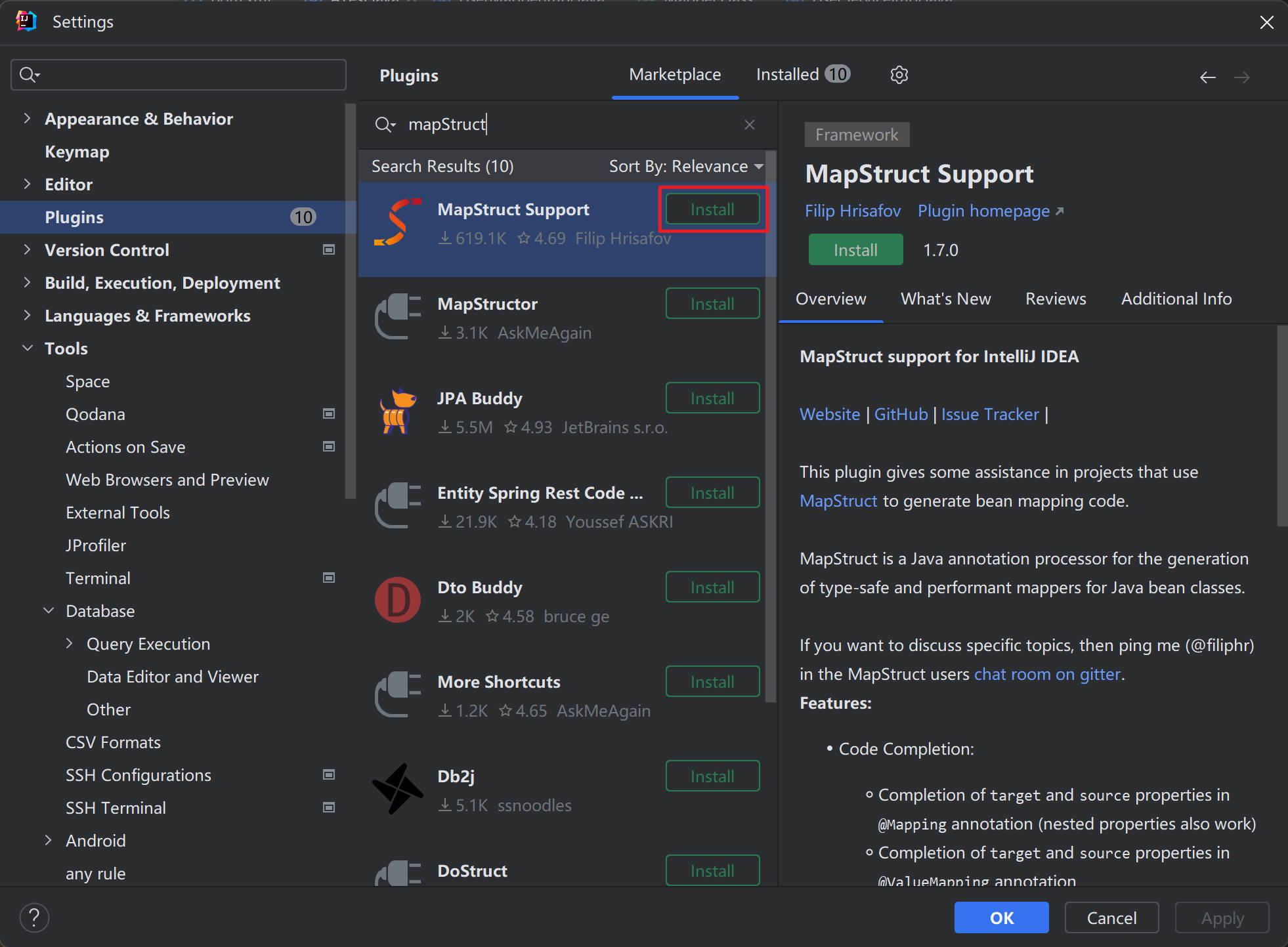
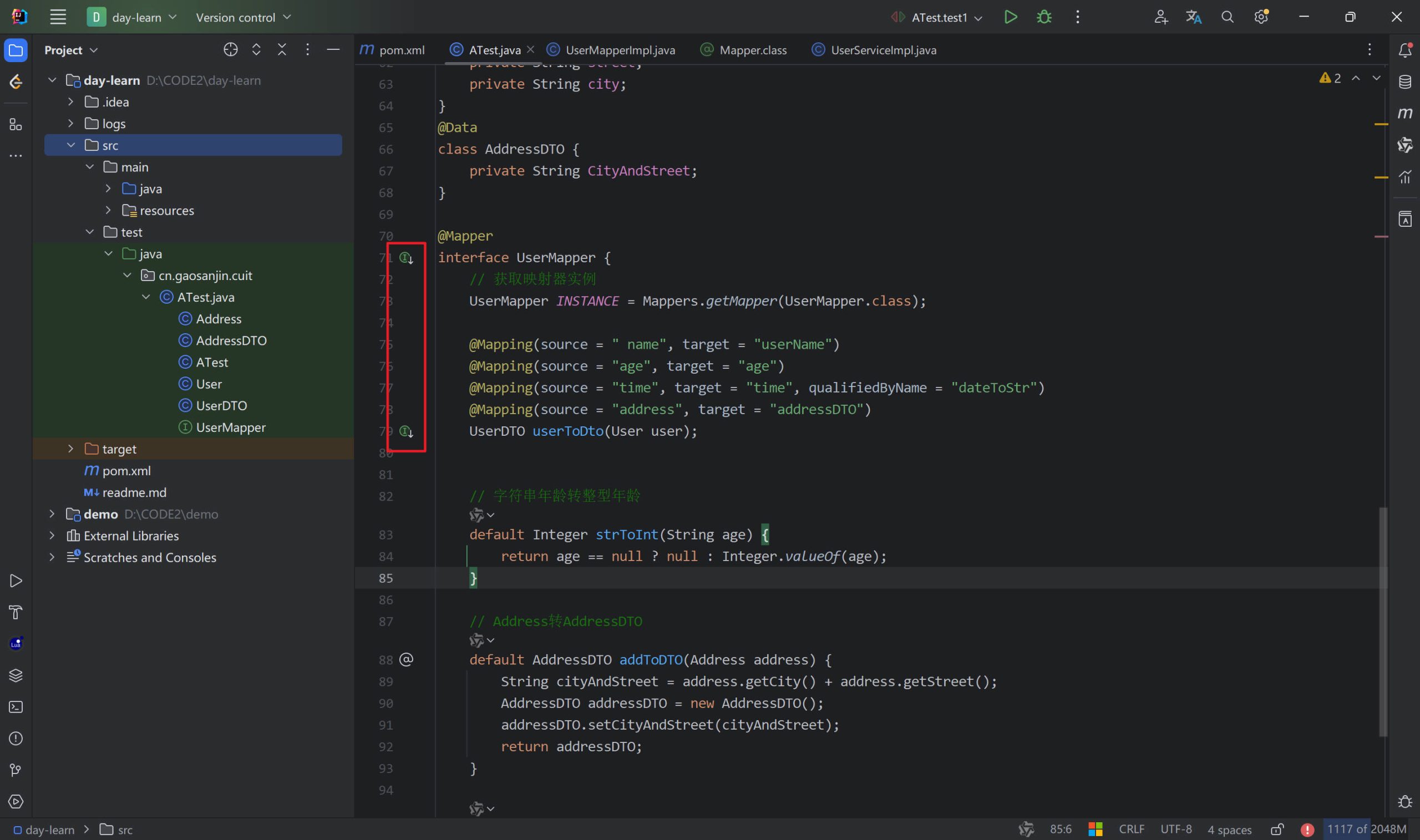
5. 原理
Mapstruct 是在 java 文件到 class 这一步帮我们实现了转换方法,即做了预处理,提前编译好文件,类似 Lombok
以下是自动生成的实现类
package cn.gaosanjin.cuit;

class UserMapperImpl implements UserMapper {
    UserMapperImpl() {
    }

    public UserDTO userToDto(User user) {
        if (user == null) {
            return null;
        } else {
            UserDTO userDTO = new UserDTO();
            userDTO.setUserName(user.getName());
            userDTO.setAge(this.strToInt(user.getAge()));
            userDTO.setTime(this.dateToStr(user.getTime()));
            userDTO.setAddressDTO(this.addToDTO(user.getAddress()));
            userDTO.setId(user.getId());
            return userDTO;
        }
    }
}